微信小程序接入客服有两种方式:
+ 小程序客服(个人微信扫码登录客服系统后使用)
+ 微信客服(接入企业微信,有消息直接发送到企业微信)
# 小程序客服
[https://developers.weixin.qq.com/miniprogram/dev/framework/open-ability/customer-message/customer-message.html](https://developers.weixin.qq.com/miniprogram/dev/framework/open-ability/customer-message/customer-message.html)
详将上面的官方链
## 页面上放置客服按钮
```javascript
Page({
handleContact (e) {
console.log(e.detail.path)
console.log(e.detail.query)
}
})
```
需要将 [button](https://developers.weixin.qq.com/miniprogram/dev/component/button.html) 组件 `open-type` 的值设置为 `contact`,当用户点击后就会进入客服会话,如果用户在会话中点击了小程序消息,则会返回到小程序,开发者可以通过 `bindcontact` 事件回调获取到用户所点消息的页面路径 `path` 和对应的参数 `query`。
## 后台接入客服
登录你的小程序商户后台:
[https://mp.weixin.qq.com/](https://mp.weixin.qq.com/)

通过左侧菜单的 “客服” 菜单进入,添加你的客服人员(最多可添加 100 个客服)
然后让客服登录网页 或者是 移动端客服小程序 ,即可随时随地当客服了。
# 微信客服(接入企业微信,有消息直接发送到企业微信)
## 查看企业ID
[https://kf.weixin.qq.com/](https://kf.weixin.qq.com/)
使用企业微信扫码登录:

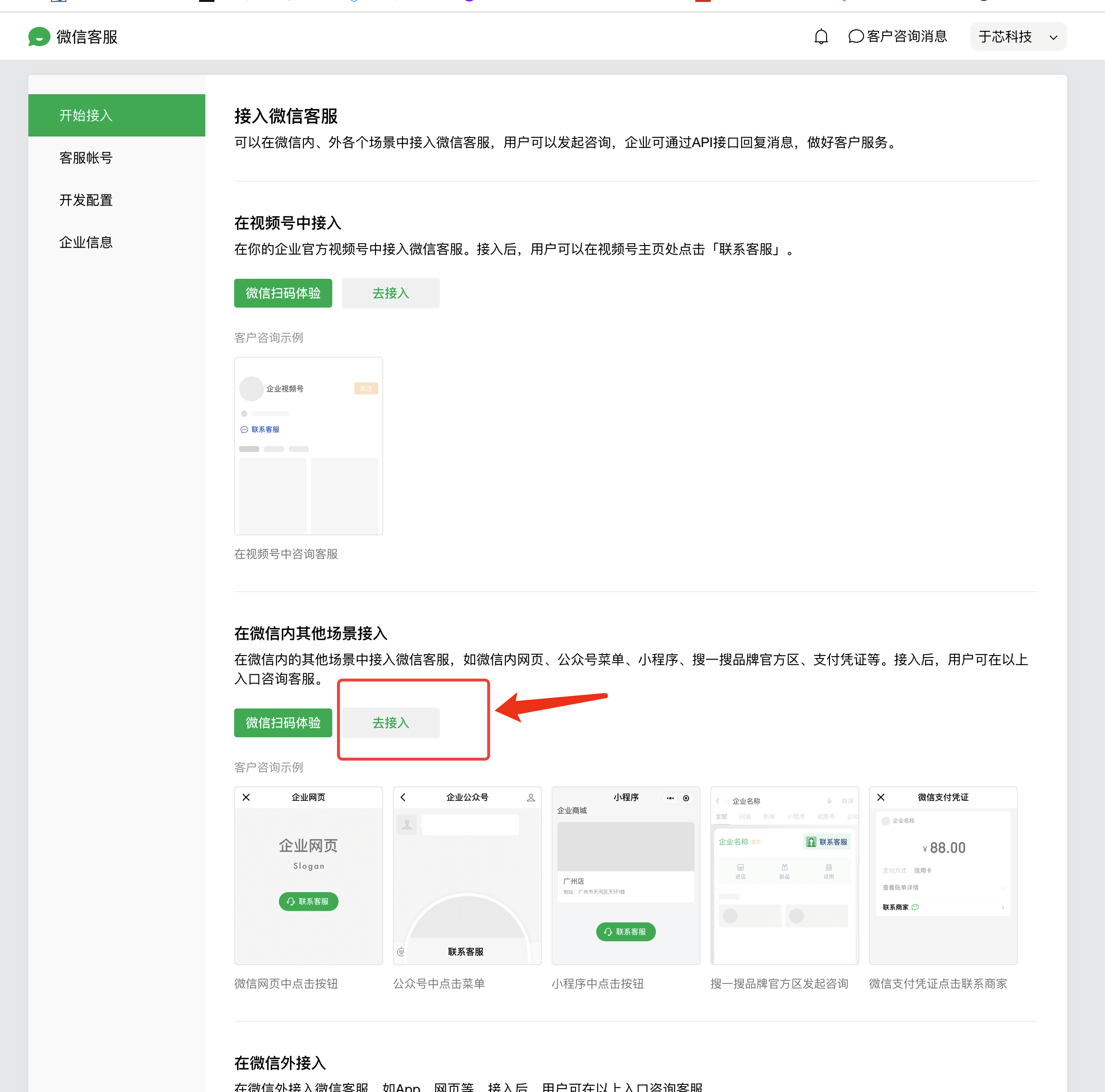
## 查看客服链接
下面2个方法,哪个可以就用哪种方式查看:
### 方案一

### 方案二
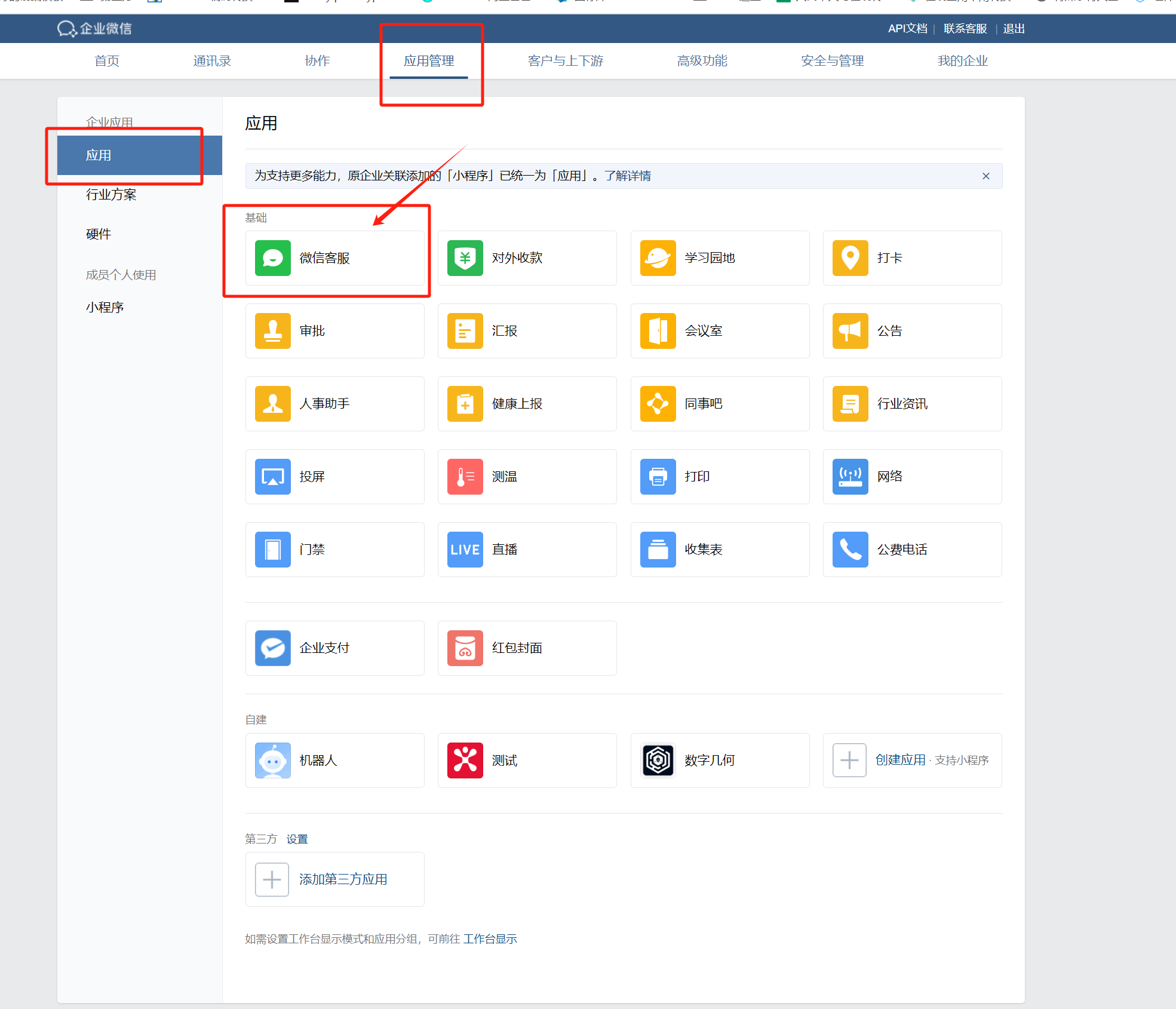
登录企业微信后台:[https://work.weixin.qq.com/](https://work.weixin.qq.com/)
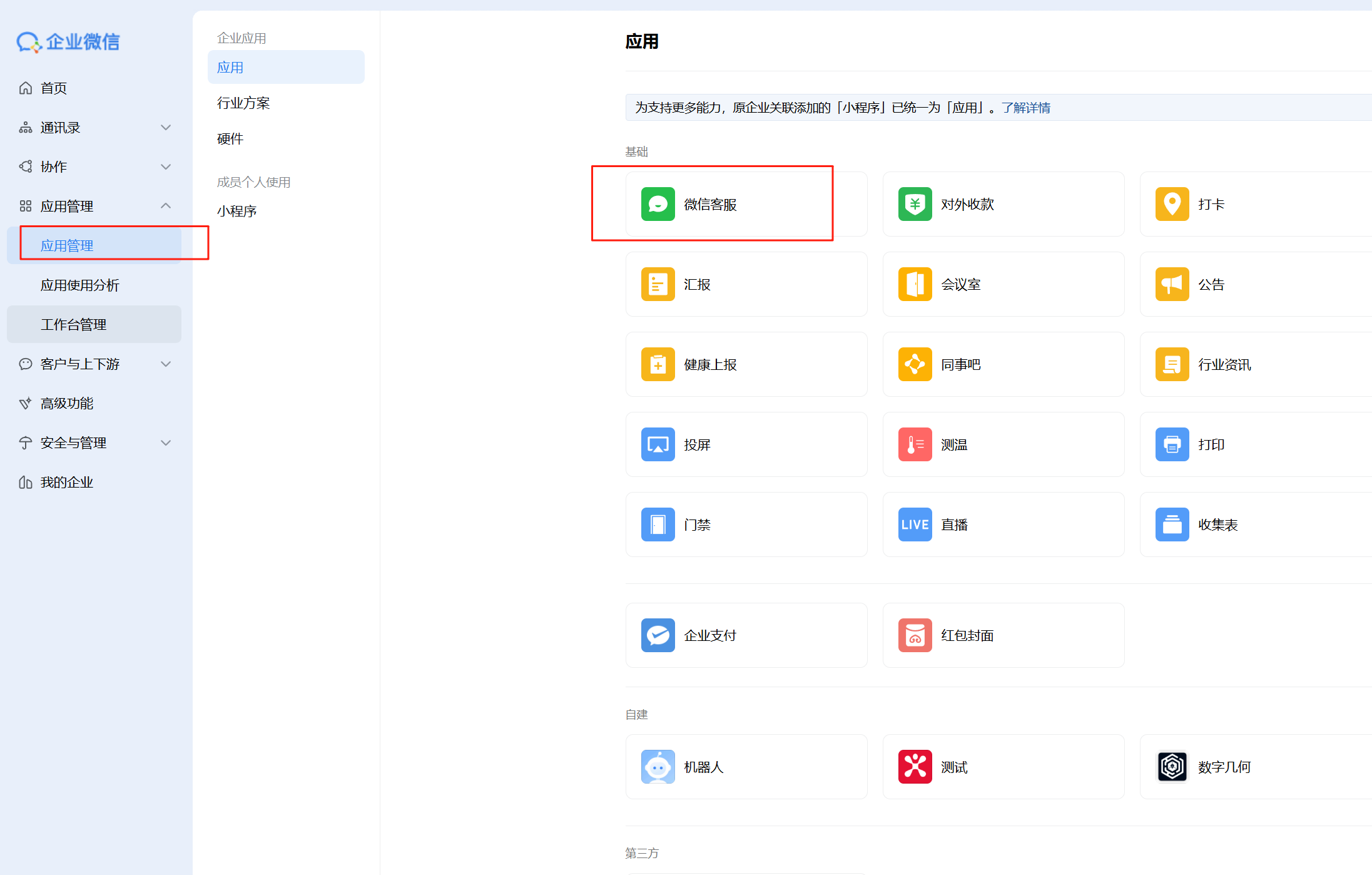
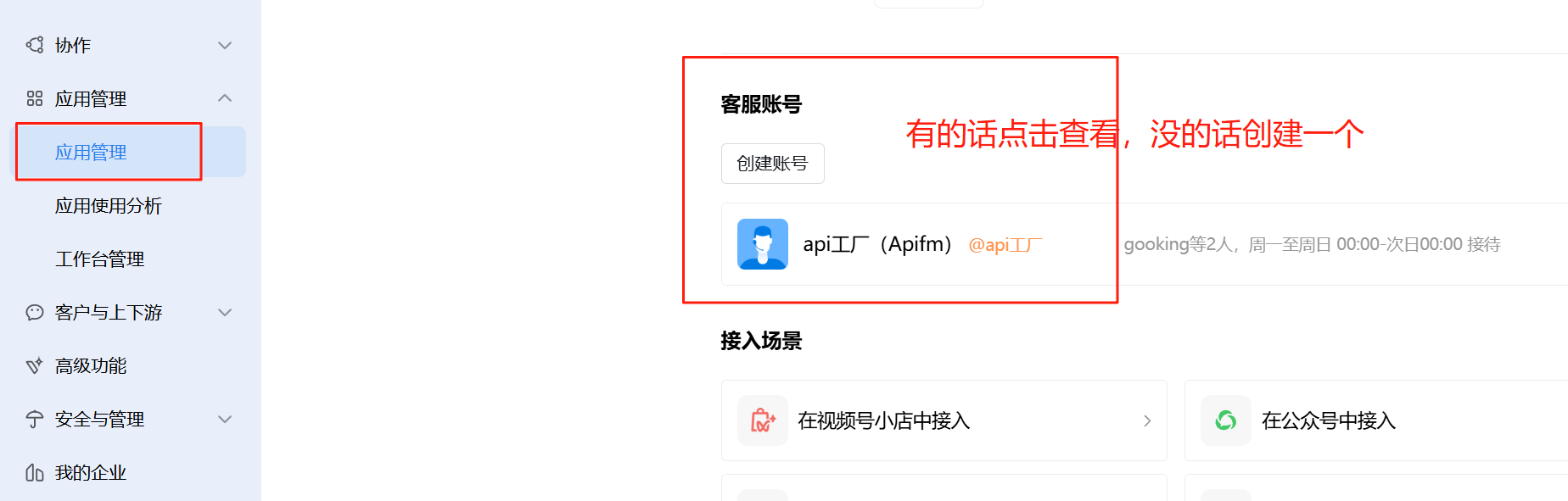
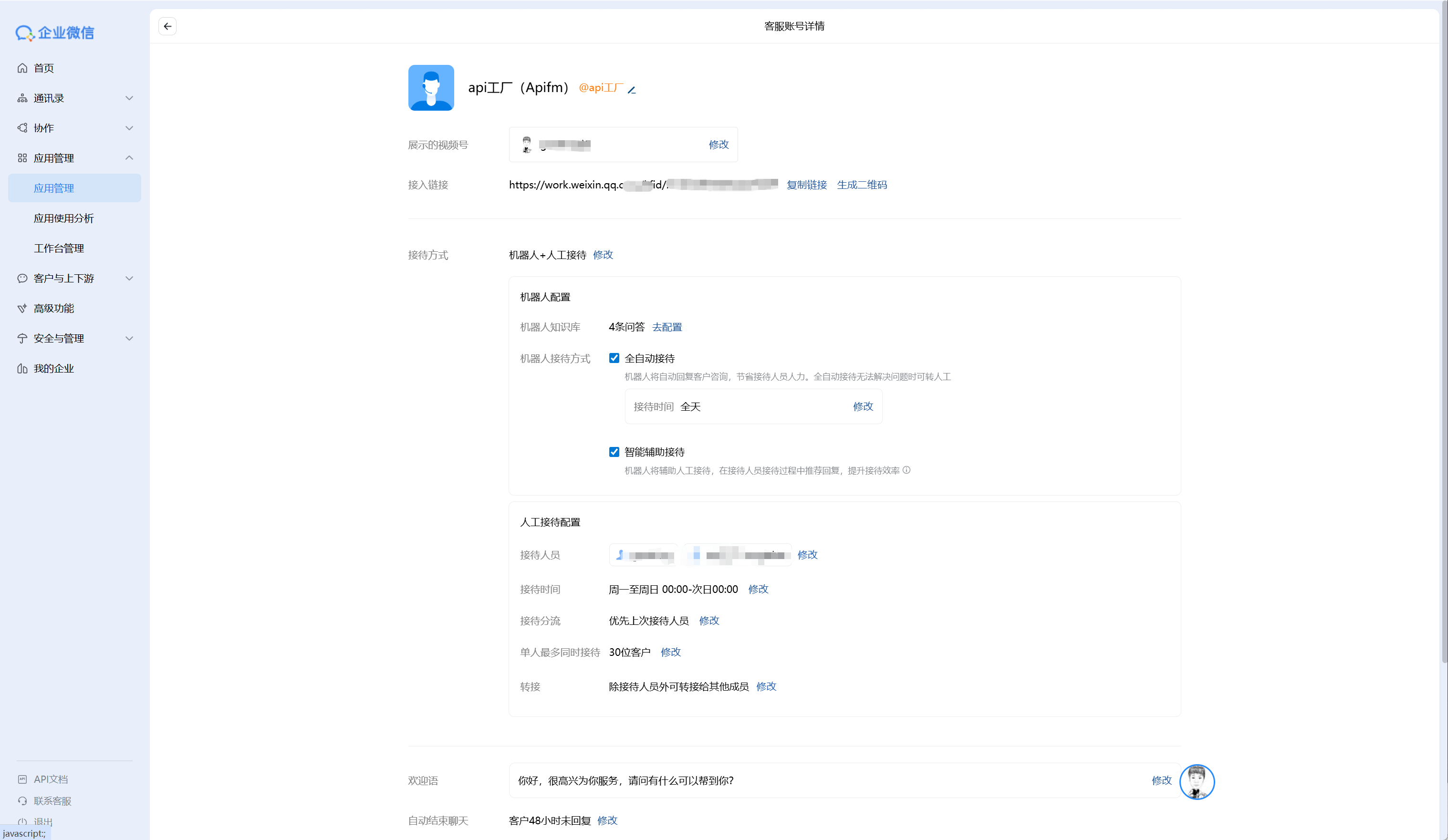
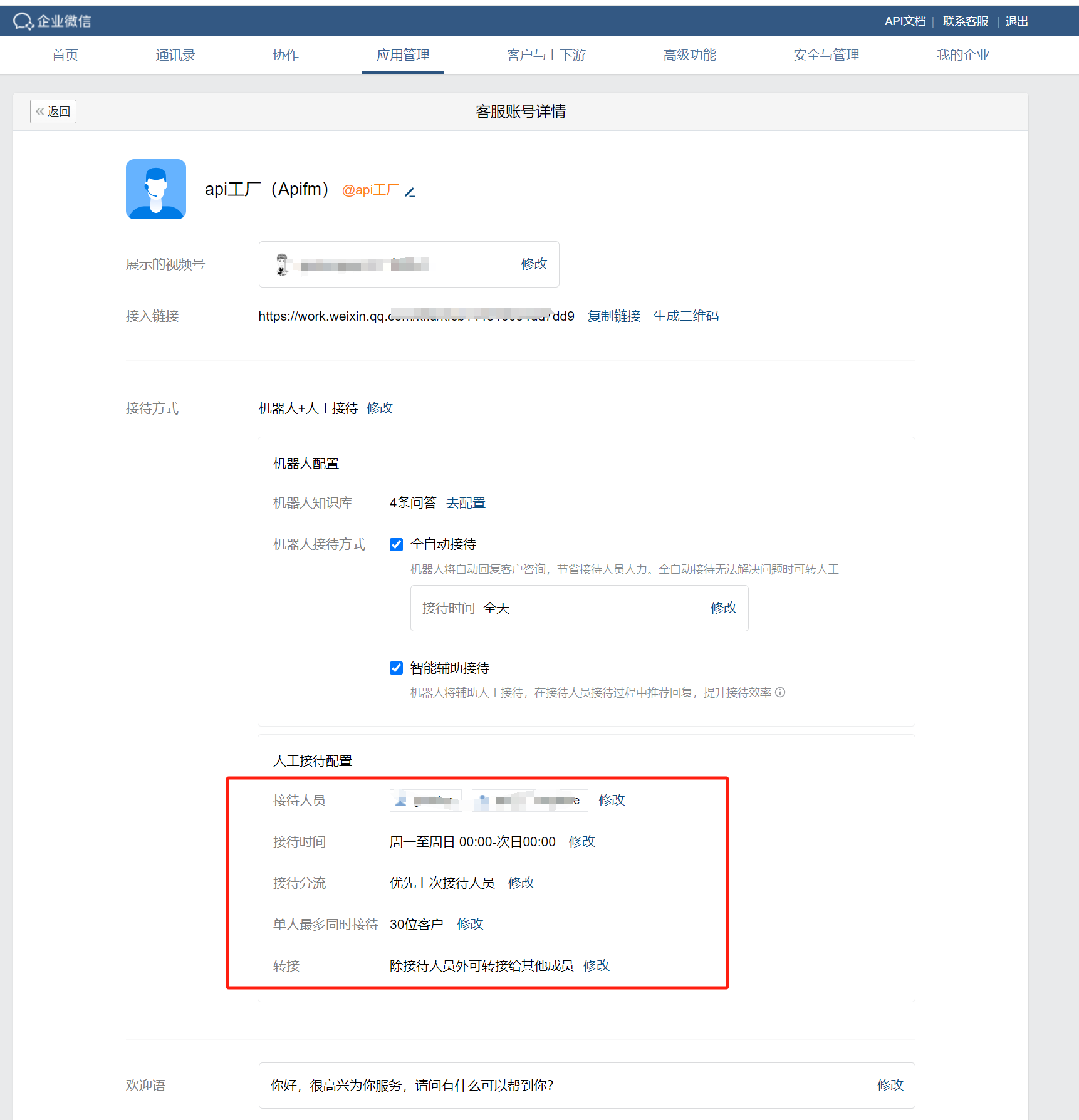
上面的接入链接复制下来即可
## 登录小程序后台,绑定企业微信客服
[https://mp.weixin.qq.com/](https://mp.weixin.qq.com/)

## 小程序中跳转到客服对话框
[https://developers.weixin.qq.com/miniprogram/dev/api/open-api/service-chat/wx.openCustomerServiceChat.html](https://developers.weixin.qq.com/miniprogram/dev/api/open-api/service-chat/wx.openCustomerServiceChat.html)
```javascript
wx.openCustomerServiceChat({
extInfo: {url: ''},
corpId: '',
success(res) {}
})
```
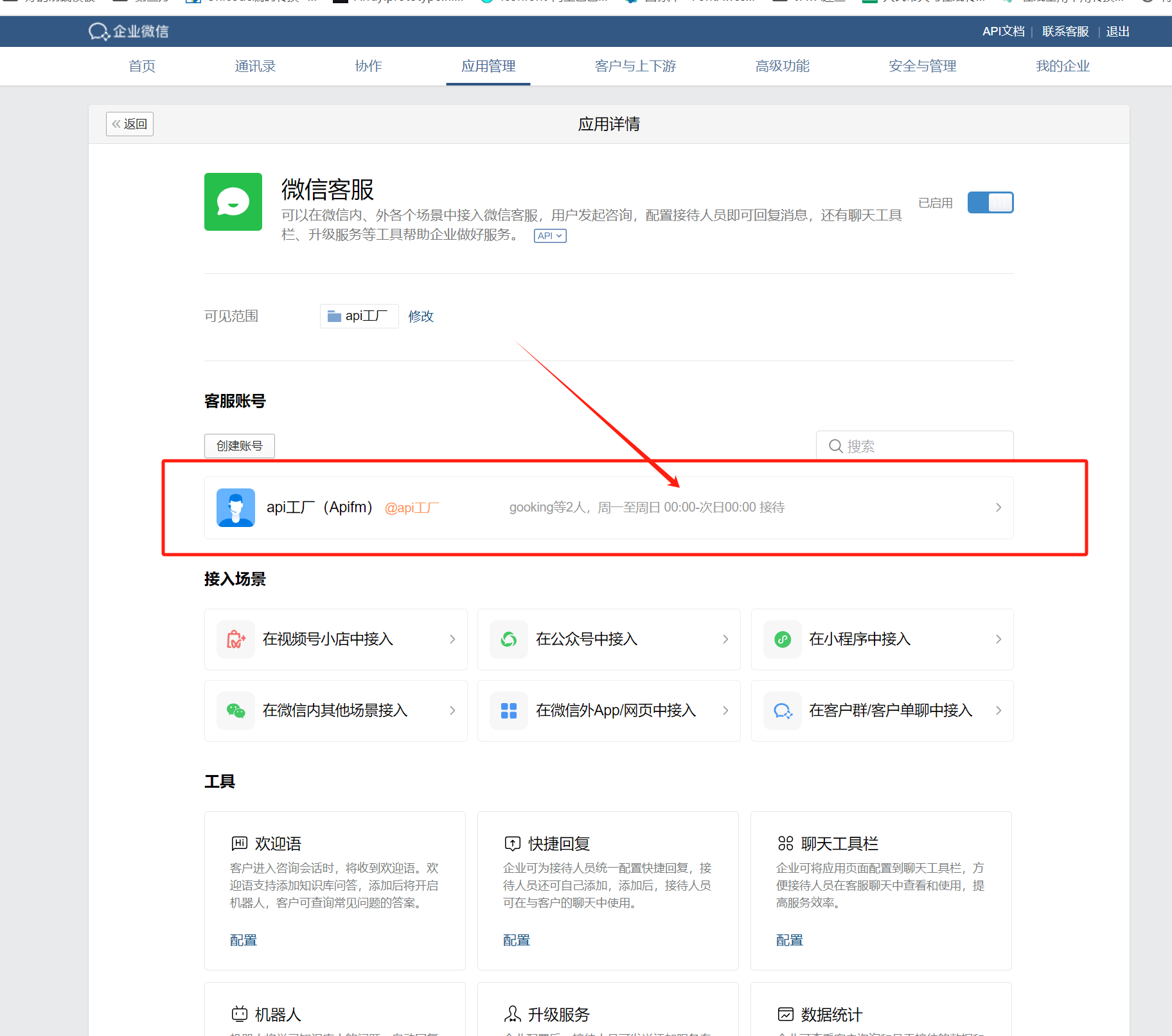
## 指定客服坐席接待人员
登录企业微信后台:
[https://work.weixin.qq.com/](https://work.weixin.qq.com/)
## 常见问题
### 点击无法跳转
未在小程序后台,绑定企业微信的企业ID,请按上面的教程进行绑定即可