调用`PayPal`支付,需要以下4个信息:
+
clientId
+
clientSecret
+
webhookId
+
currency
# 开通账号
[https://www.paypal.com/](https://www.paypal.com/)
开通注册好你自己的 paypal 账号,然后进入开发者平台创建应用:
[https://developer.paypal.com/developer/applications/](https://developer.paypal.com/developer/applications/)
创建好应用以后,即可查看到应用到
clientId 和 clientSecret
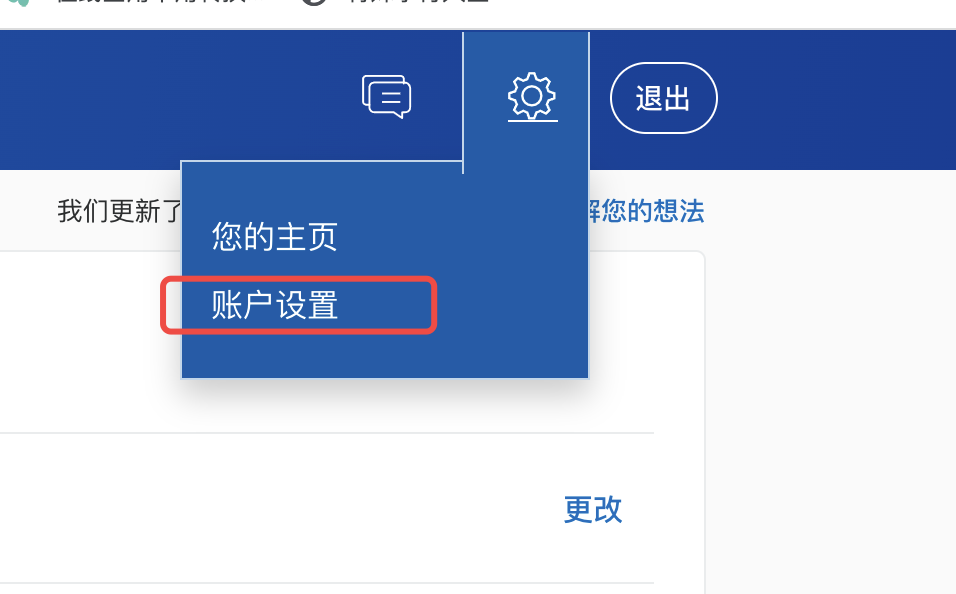
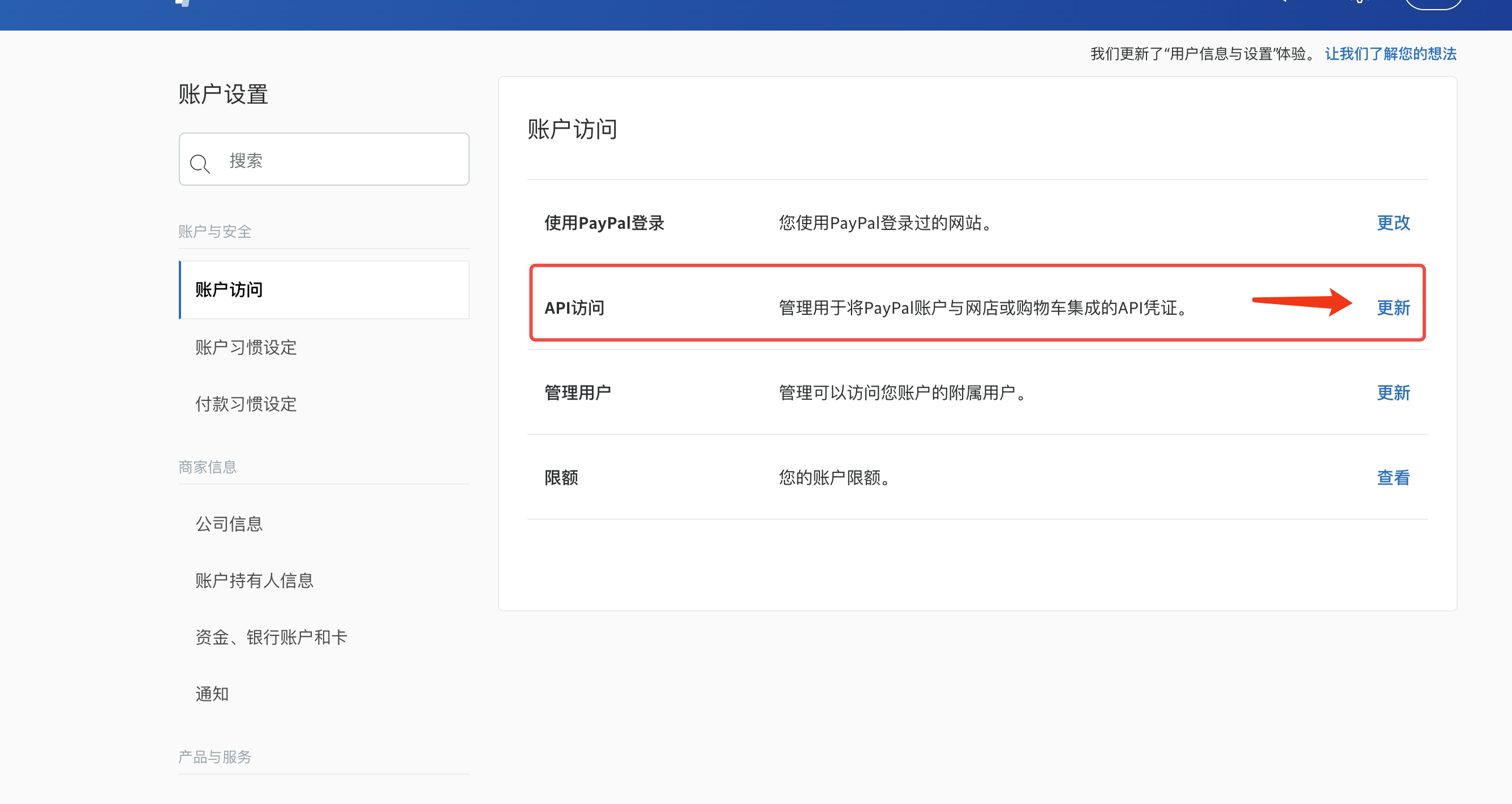
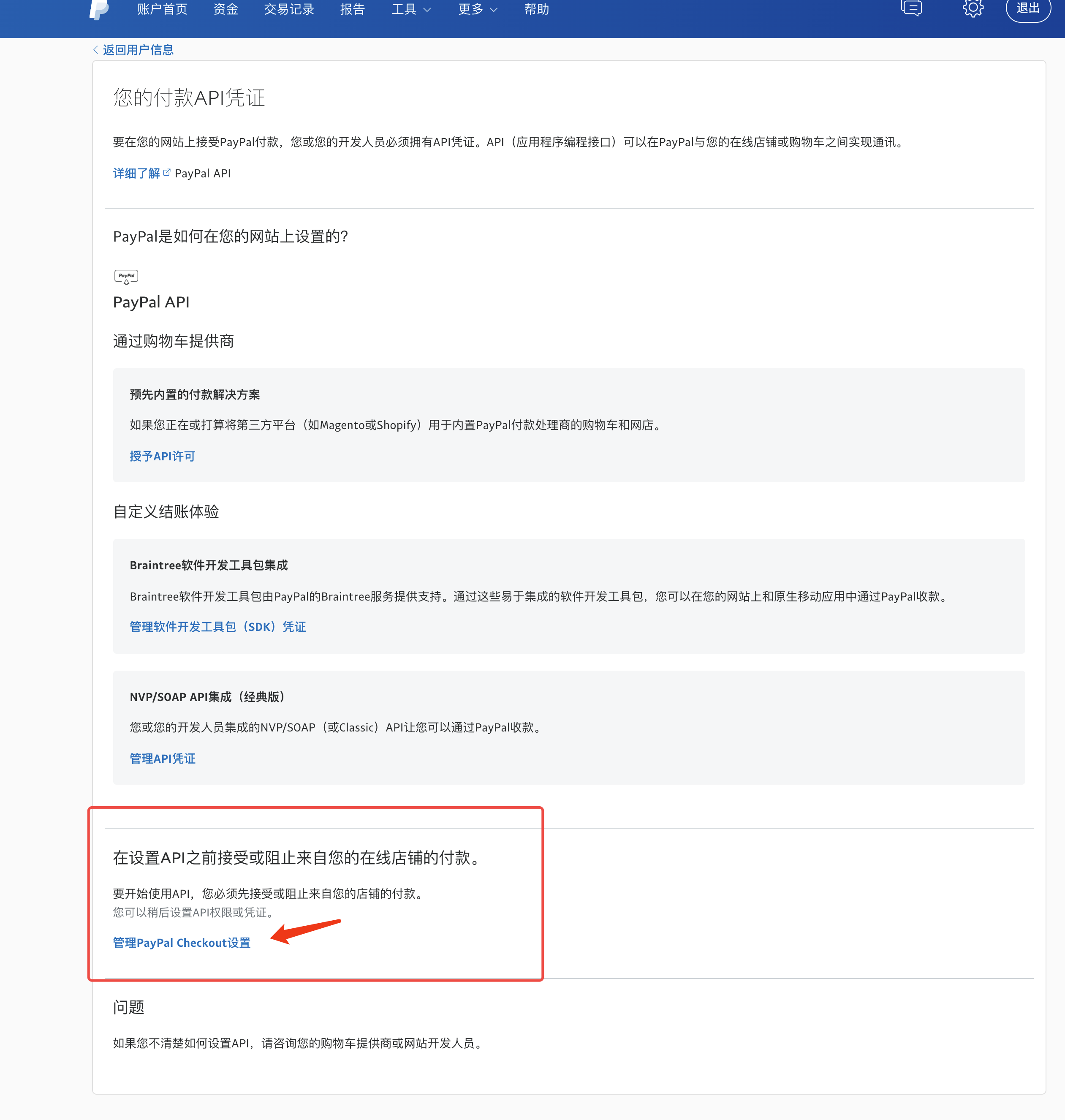
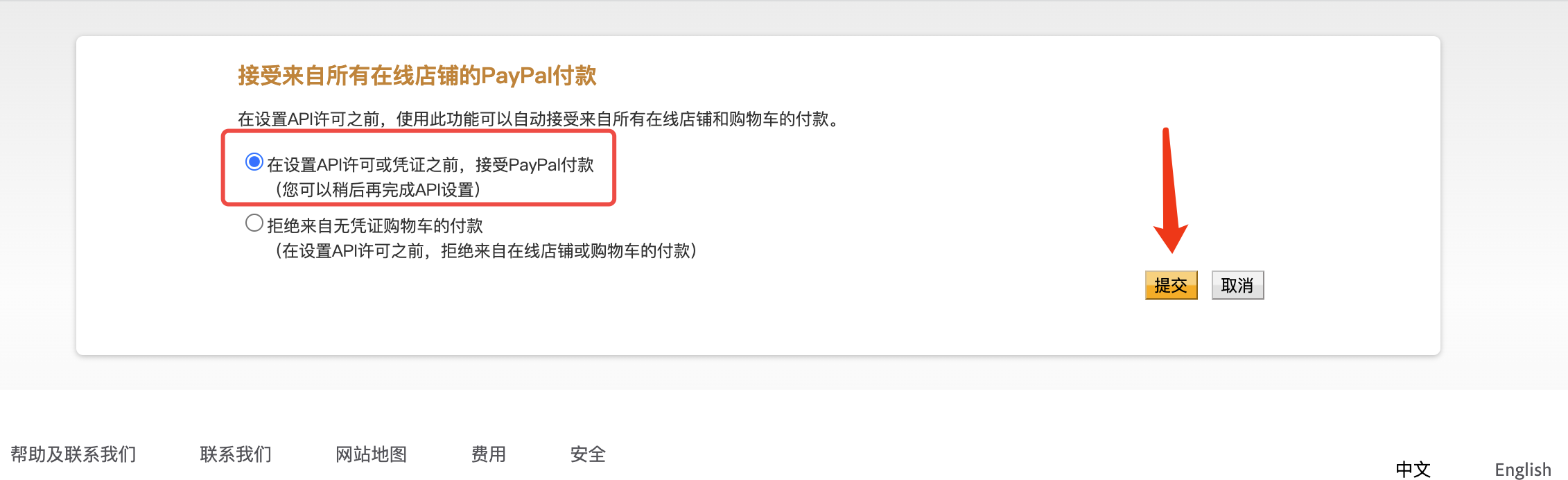
同时必须在账号设置中设置允许 checkout 方式收款,否则会提示没用权限的
# 配置 webhook
paypal 的支付异步通知是通过配置 webhook 来实现的,如图操作:
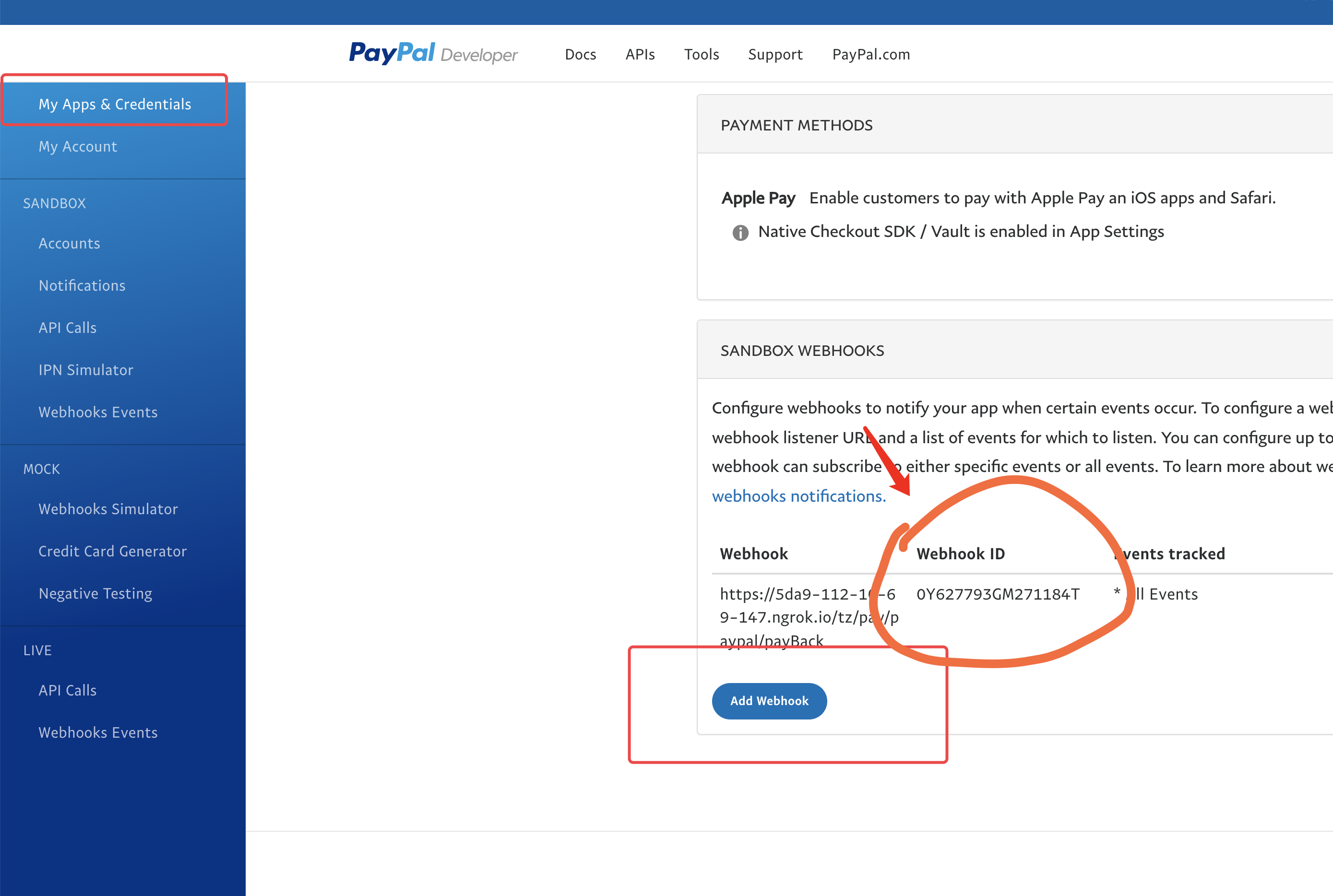
通知地址填写:https://common.apifm.com/**
gooking**/pay/paypal/payBack
其中红色的 **
gooking** 请换成你自己的专属域名
下面的通知事件,请勾选:PAYMENT.CAPTURE.COMPLETED
创建webhook以后,即可在列表中获取 webhookId
# 货币符号
[https://developer.paypal.com/docs/api/reference/currency-codes/](https://developer.paypal.com/docs/api/reference/currency-codes/)
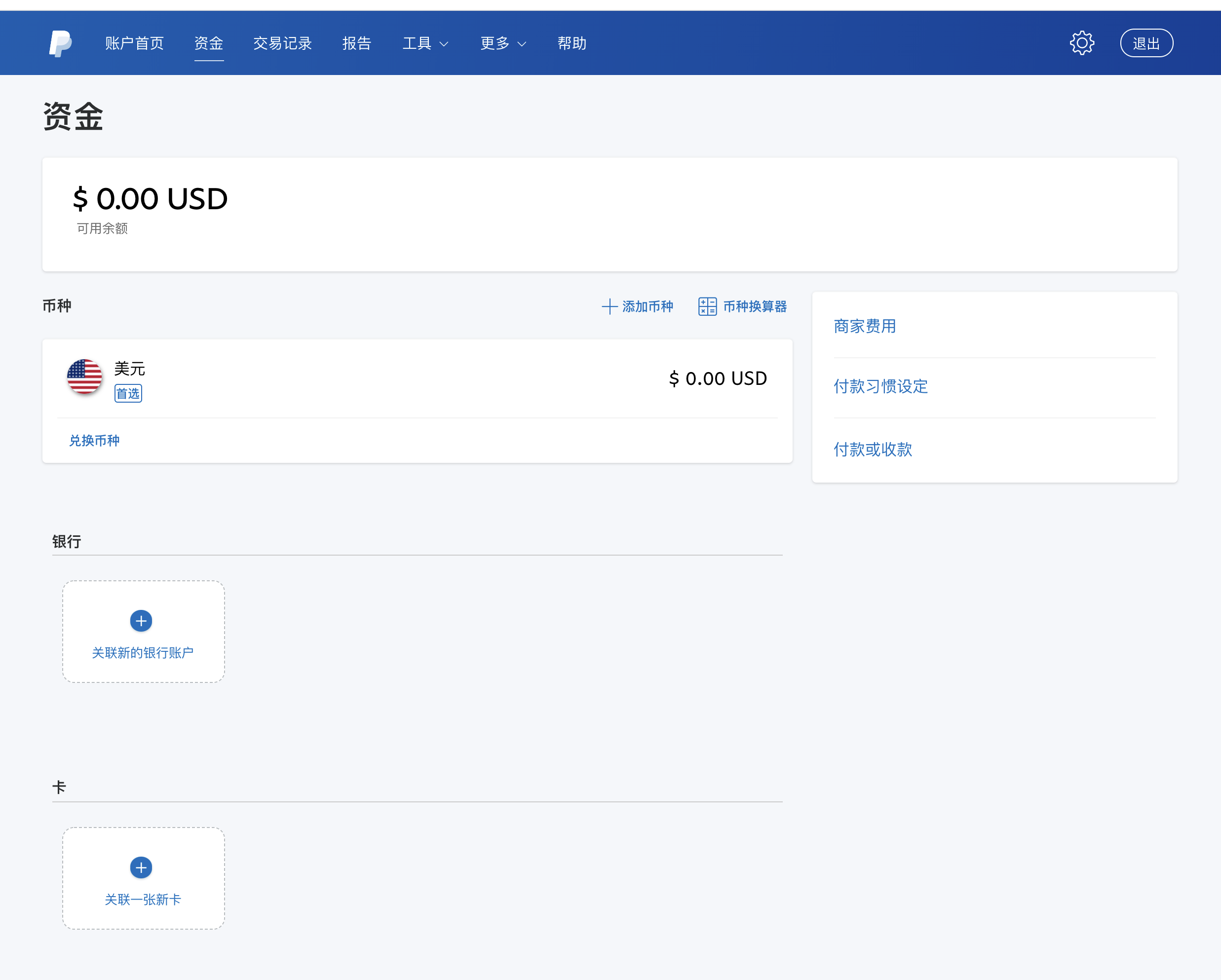
要保证你传的 `currency`必须是支持的货币,否则接口是无法调通的
# 后台配置
将以上信息,配置到 “api工厂” 后台:
系统设置 --> 在线支付 --> 设置 paypal 支付
# 前端调用
## 小程序支付
前端通过调用接口:`/pay/paypal/checkout` 接口发起支付即可;
WXAPI SDK,可直接调用:
```javascript
WXAPI.paypalCheckout({...})
```
## js 中发起 checkout 收款
需要先引入官方的 js
```javascript
```
在需要出现PayPal按钮的地方,放置容器:
```html
```
编写js文件:
```javascript
paypal.Buttons({
createOrder: function(data, actions) {
// This function sets up the details of the transaction, including the amount and line item details.
// return actions.order.create({
// purchase_units: [{
// amount: {
// value: '0.21'
// }
// }]
// })
return _this.$wxapi.paypalCheckout({
token: getToken(),
money: 1.03
}).then(res => {
return res.data.orderId
})
},
onApprove: function(data, actions) {
// This function captures the funds from the transaction.
return actions.order.capture().then(function(details) {
console.log(details)
// This function shows a transaction success message to your buyer.
alert('Transaction completed by ' + details.payer.name.given_name)
})
}
}).render('#paypal-button-container')
```
# 参考资料
[https://developer.paypal.com/docs/checkout/integrate/](https://developer.paypal.com/docs/checkout/integrate/)
[https://github.com/paypal/Checkout-Java-SDK](https://github.com/paypal/Checkout-Java-SDK)
webhook 会回调2种类型:
~~CHECKOUT.ORDER.APPROVED 用户授权扣款~~
PAYMENT.CAPTURE.COMPLETED 订单完成
只需要勾选第二种即可